How to order custom cabinets online
Every Sealab cabinet is made to the size and materials you choose. This walkthrough follows one order from the catalog to a requested quote, with the screens you will see on the way.
How does ordering work?
You configure each cabinet, collect them in your cart, set what they share once, and request a quote. Nothing is ordered until you request the quote, and the quote can still change until it is paid.
- Sizes
- Any width, height and depth within each cabinet’s range
- Price
- Shown live in your cart as you change a cabinet
- To request a quote
- A project name, a purchase order number and an account
Order a cabinet, step by step
Eleven steps in three parts. The example is a 36 in double-door sink base and a drawer base.
Part 1Find and configure a cabinet
Find your cabinet
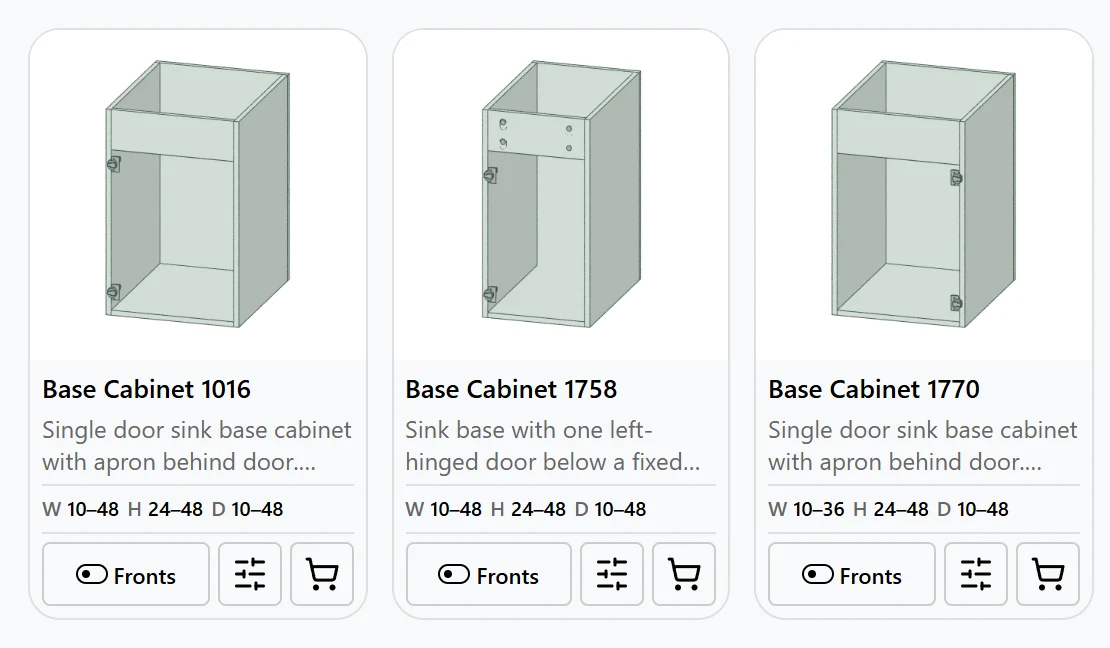
Open the Cabinet Showroom and search by name or number, such as “sink base” or “1761”, or filter by type: base, sink base, drawer base, upper, tall and pantry, closet and more. Each card shows the range of widths, heights and depths that cabinet can be made to. Select the sliders button to open it and configure it.
The cart button on a card adds the cabinet straight away at its default size, with the preset chosen for new cabinets. You can set its size in the cart afterward.
Set its exact size
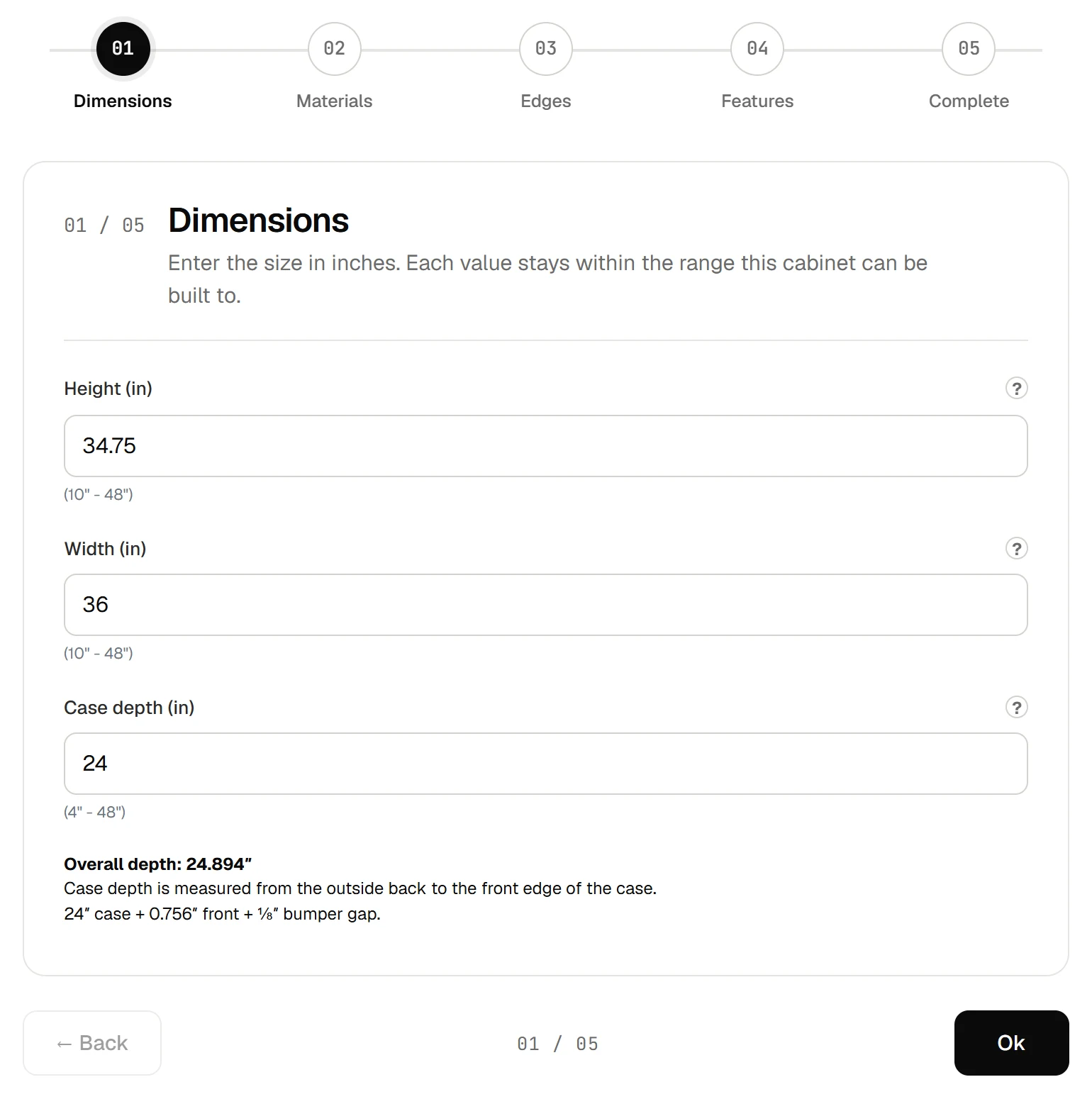
In Configure, step 01 is Dimensions. Enter the height, width and case depth in inches; each field shows the range the cabinet can be built to. Case depth is measured to the front edge of the case, and the overall depth with the front and the 1/8 in bumper gap is worked out underneath.
Choose the materials
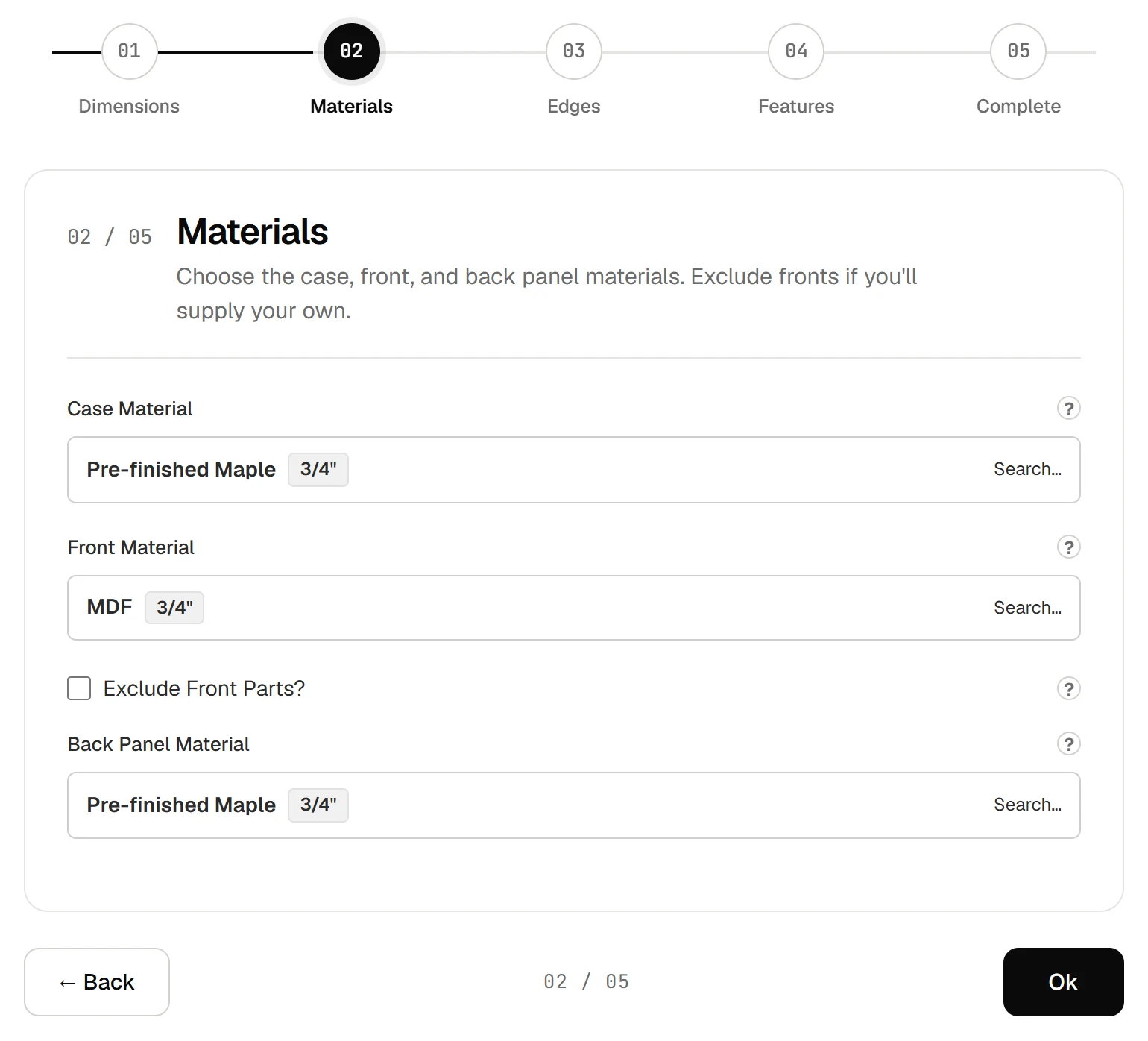
Step 02 sets the case, front and back panel materials. Each opens a search, so type something like “maple 3/4” or “walnut”. Tick Exclude Front Parts if the doors and drawer fronts will come from someone else.
Pick edges and joinery
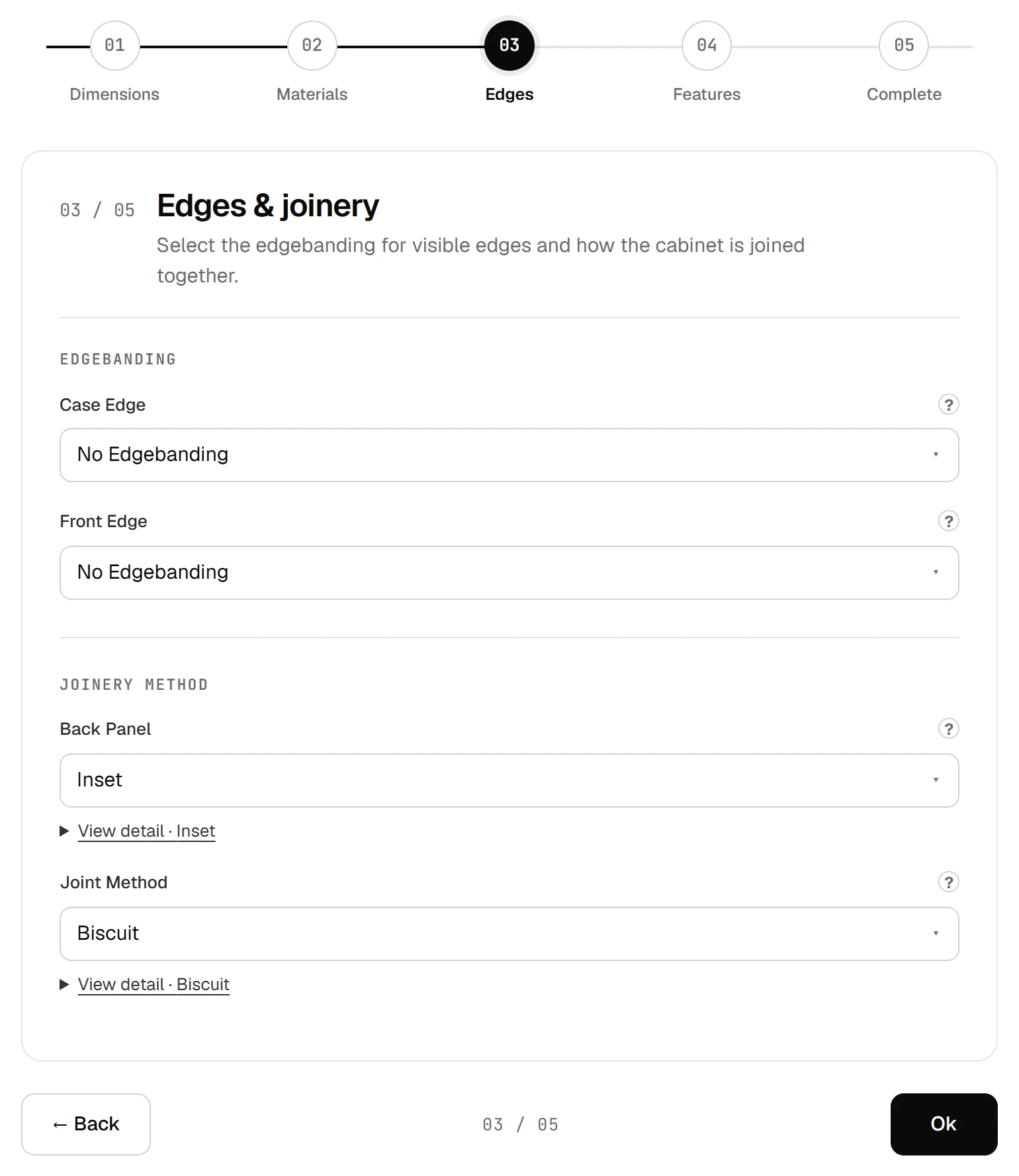
Step 03 sets the edge banding on the case and on the fronts, how the back panel is fitted and how the parts are joined. View detail under each choice shows the construction it makes.
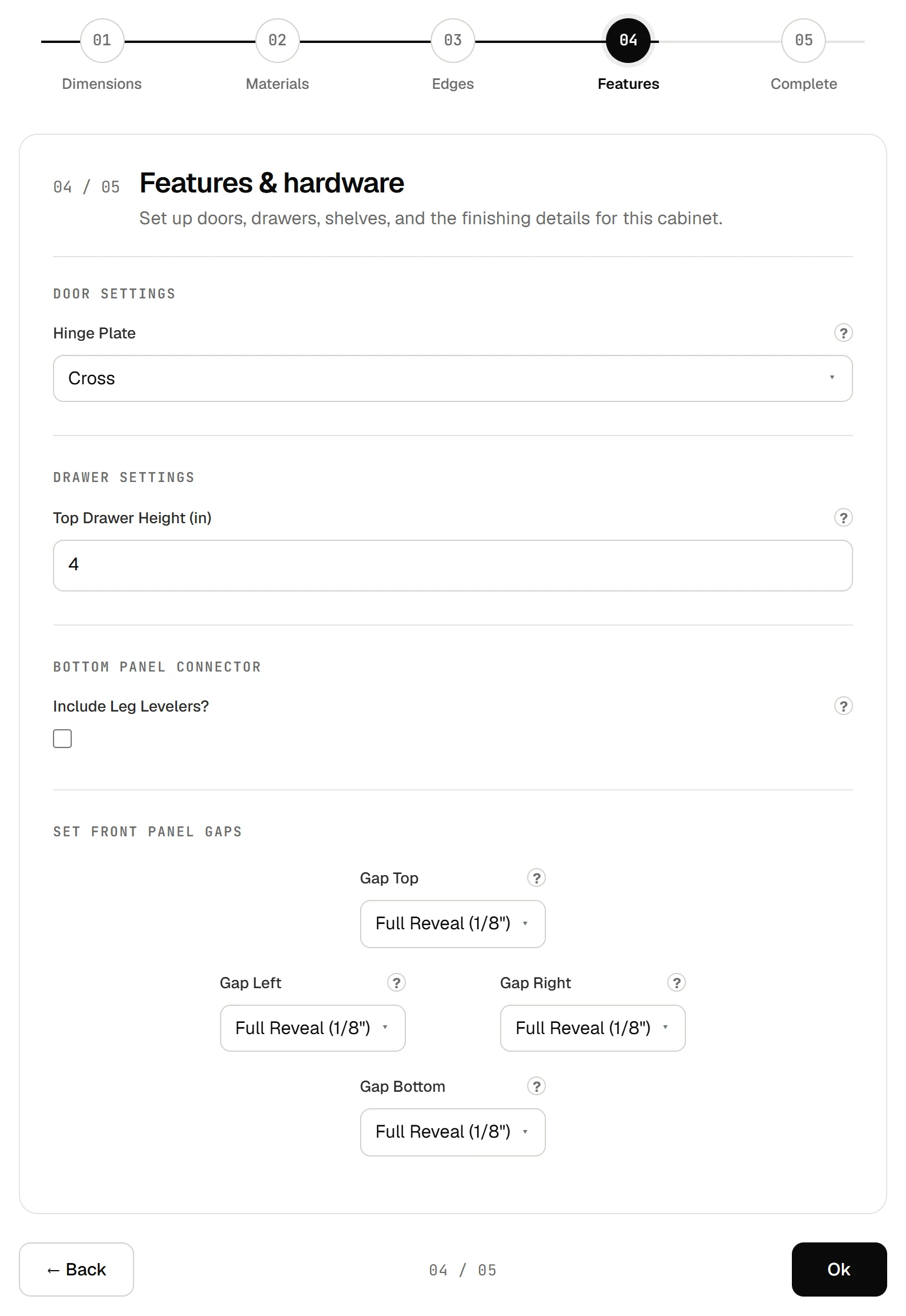
Set features and hardware
Step 04 covers the hinge plate for doors, the drawer type and top drawer height where the cabinet has drawers, leg levelers, and the gaps around the fronts. Gaps start at a full 1/8 in reveal on every side; change one where a cabinet meets a wall or its neighbor differently.
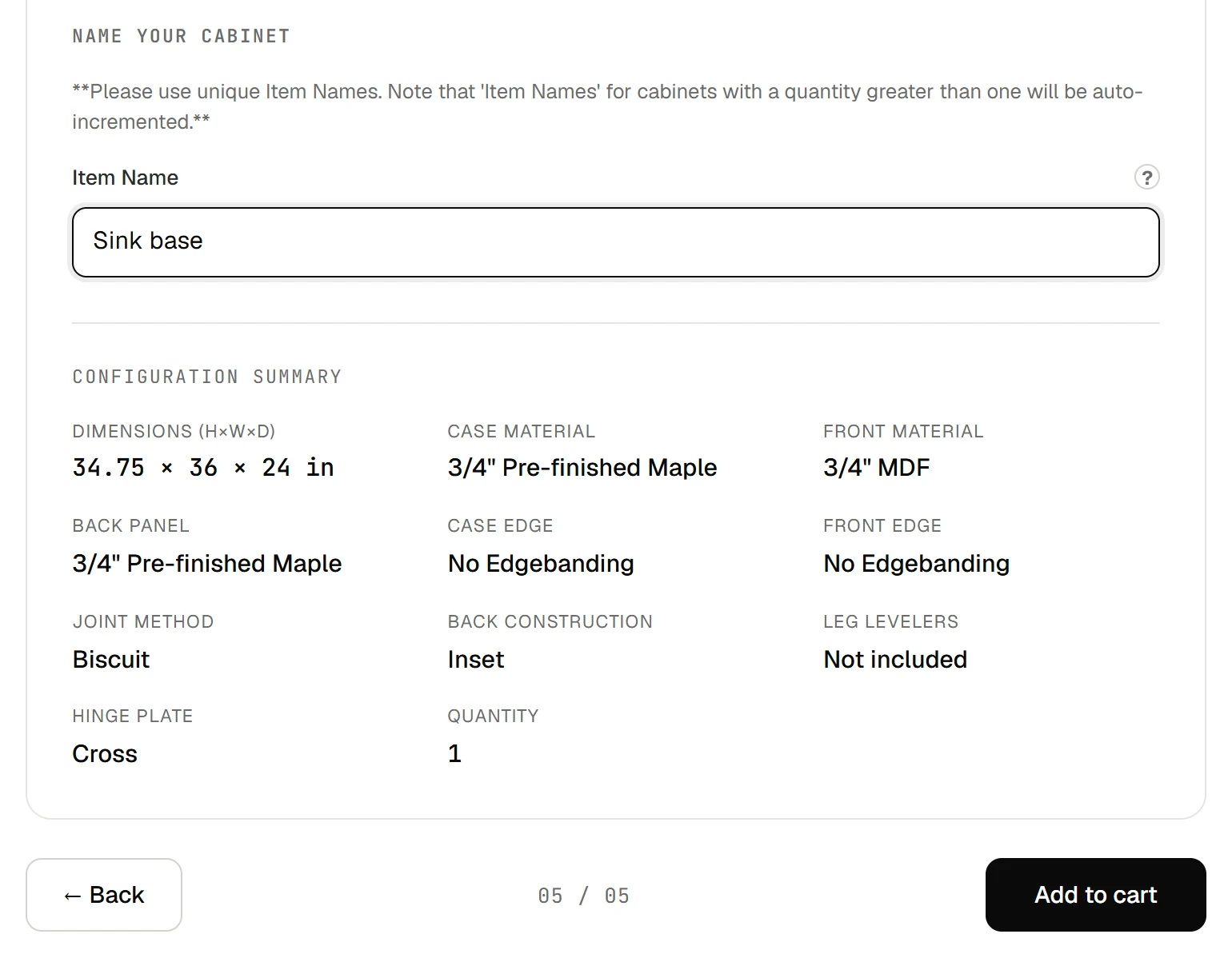
Name it and add it to the cart
Step 05 asks for an Item Name: give each cabinet a unique one you will recognize, such as its place in the room. Several of the same cabinet are numbered automatically. Check the configuration summary, then select Add to cart.
Part 2Set up your cart
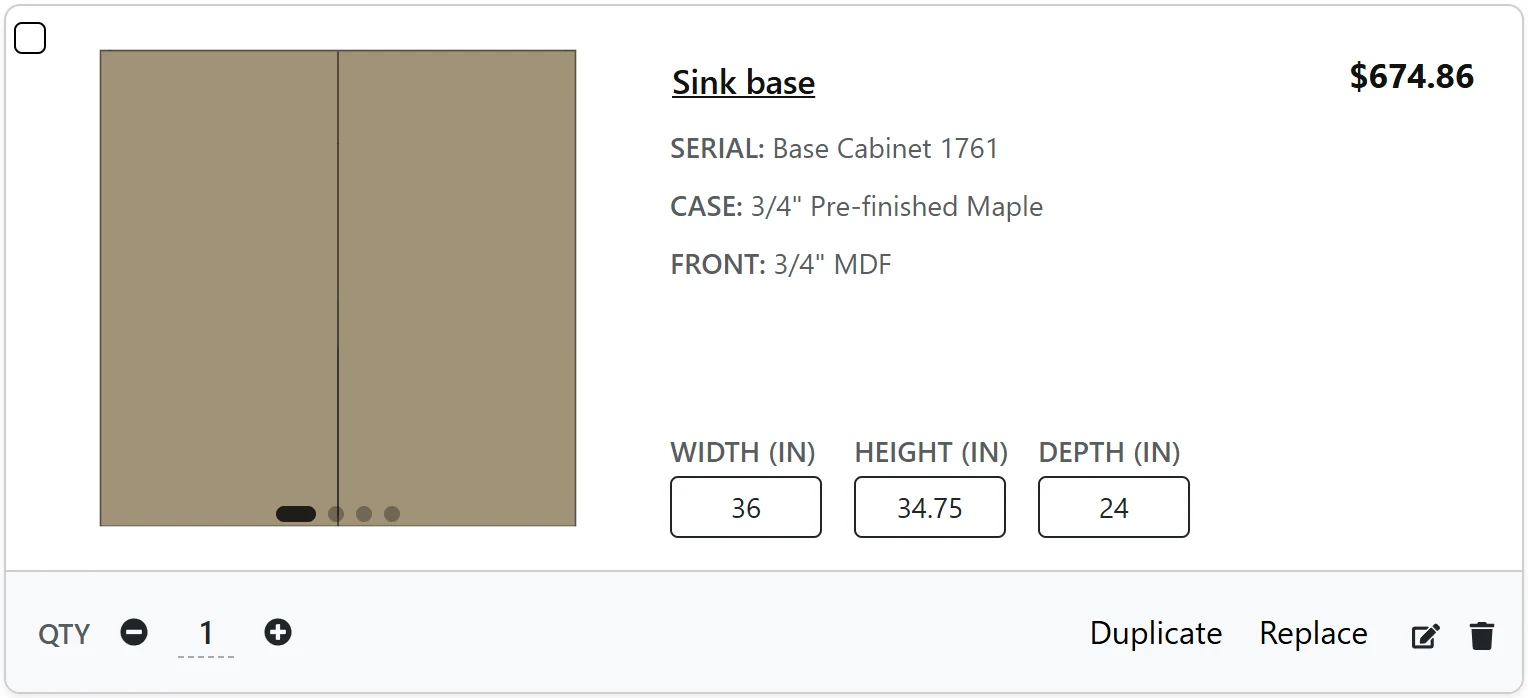
Review and adjust each cabinet
Every cabinet in the cart shows its price. Select its width, height or depth to change it and the price updates; change the quantity, duplicate it, replace it, open it again with the edit button or remove it.
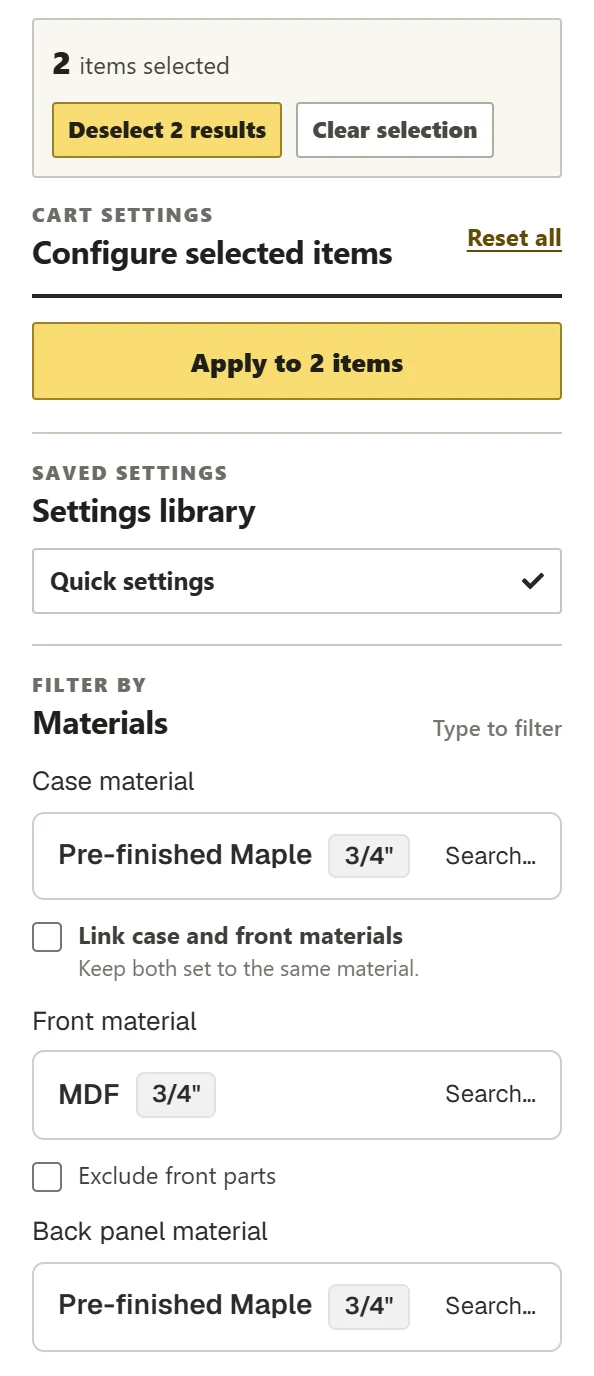
Apply settings to many cabinets at once
Open Settings beside the cart, tick the cabinets to change or choose Select all, then set the panel and choose Apply. Apply sets every choice in the panel on each selected cabinet, wherever the cabinet supports it, so set the whole panel the way you want them before applying. To use a saved preset instead, choose it under Apply preset to the selected positions.
Set construction, shelves and leg levelers
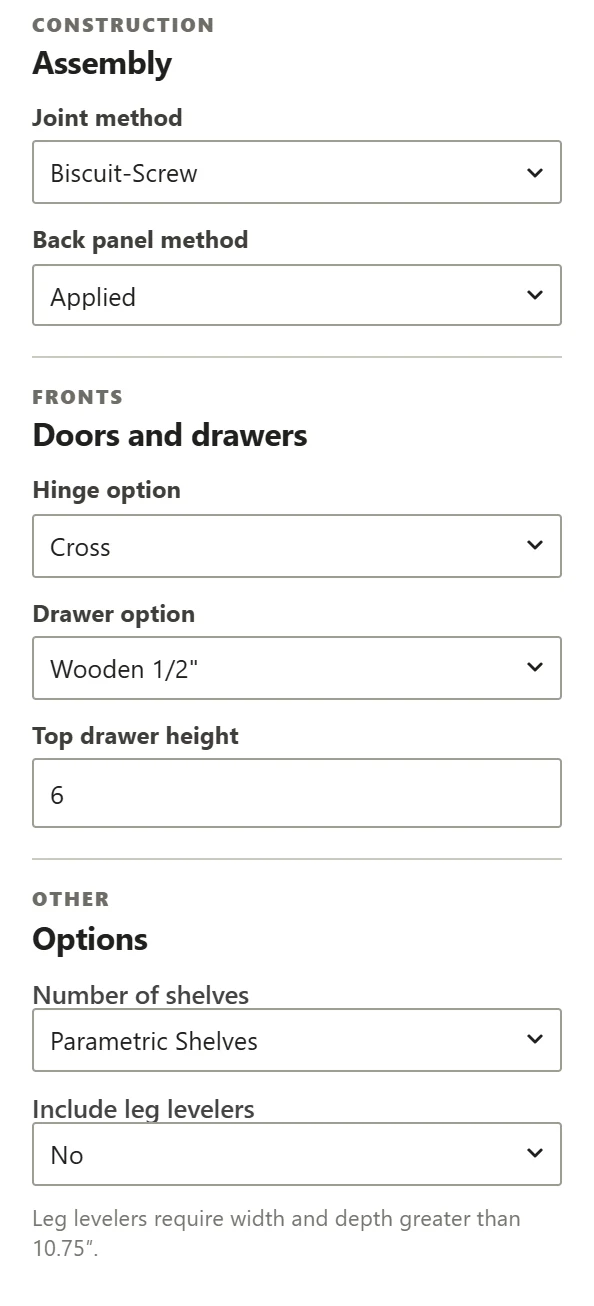
Further down the same panel are the joint method and back panel method, the hinge and drawer options, the top drawer height, the number of shelves and leg levelers. Leg levelers need a cabinet wider and deeper than 10.75 in. With three or more cabinets, Verify Cart under Actions points out any whose size or materials differ from the rest.
Part 3Request your quote
Choose what we include
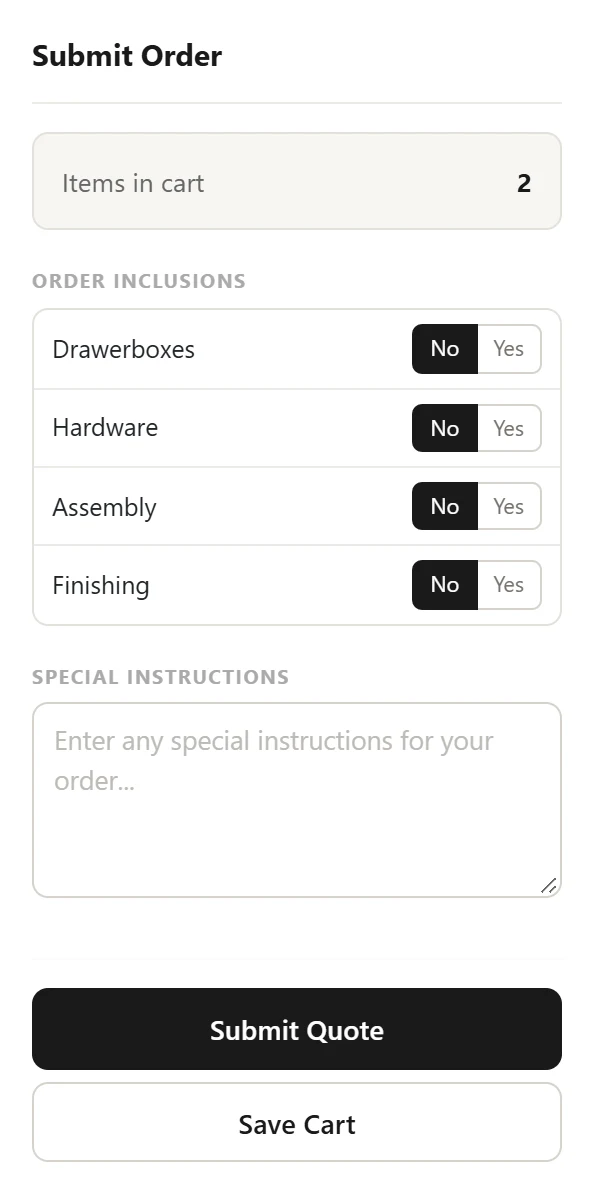
In the Order panel, choose whether we supply drawer boxes and hardware, and whether we assemble and finish the cabinets. Add special instructions if something needs explaining, then select Submit Quote. If you aren’t sure yet, assembly and finishing can also be added later, while you review the order in your customer portal.
Request the quote
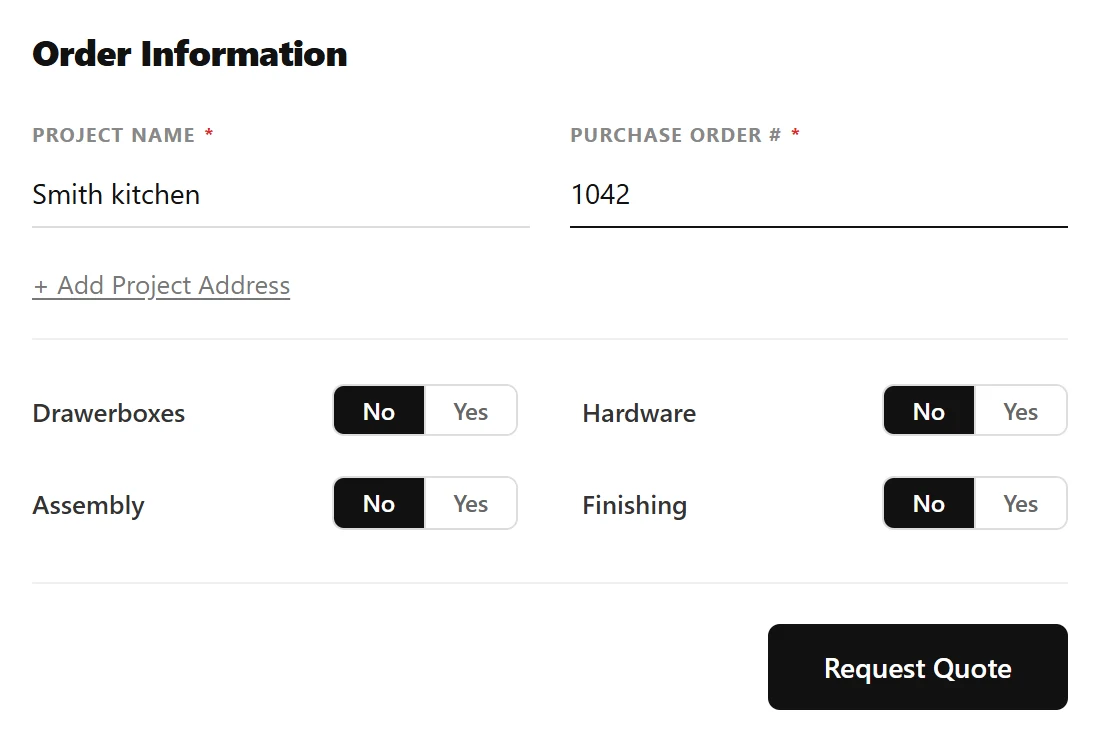
At checkout, enter a project name and a purchase order number, add the project address if you like, check the inclusions and the total, and select Request Quote. If you aren’t signed in, you’ll be asked to sign in or create an account first. Orders are picked up locally in Brooklyn at the moment.
Other ways to start
Browse by category
The catalog’s menu opens a page for each kind of cabinet, with the types it comes in and their size ranges.
Lay out a wall in the drawing tool
Draw the run, fill it with cabinets, panels and toe kicks, then apply it to your cart and carry on from step 7.
Ask an AI agent
Connect Claude or another AI assistant to your account and ask it to find, configure and add the cabinets for you.
Questions about ordering cabinets
How do I order custom cabinets online from The Sealab?
Find a cabinet in the Cabinet Showroom, open it and set its size, materials, edges, joinery and hardware, name it and add it to your cart. In the cart, apply shared settings to many cabinets at once, choose drawer boxes, hardware, assembly and finishing, then submit and request your quote at checkout.
Can every cabinet be made to my exact size?
Yes, within each cabinet’s range. Its card and its Dimensions step show the widths, heights and depths it can be built to, and you enter any size in inches inside that range.
What do cabinet dimensions measure?
The case. Case depth runs from the outside back to the front edge of the case; the overall depth adds the front and a 1/8 in bumper gap, and the Dimensions step works it out for you.
Can I change a cabinet after it is in my cart?
Yes. Change its width, height or depth in the cart and the price updates, or open it again with the edit button to change anything else. You can also duplicate, replace or remove it.
Where did global settings go?
They are the Settings panel beside your cart. Select the cabinets, set the materials, edges, construction and hardware, and choose Apply to set them on all of them at once, or apply a saved preset.
Where do I set shelves and leg levelers?
Leg levelers are in a cabinet’s Features step and in the cart’s Settings panel; the number of shelves is in the Settings panel. Leg levelers need a cabinet wider and deeper than 10.75 in.
Do I need an account to order?
Not to browse, configure or fill a cart. When you request the quote at checkout, you’ll be asked to sign in or create an account.
Can Sealab assemble or finish the cabinets?
Yes. Before you submit, choose whether we include drawer boxes and hardware and whether we assemble and finish the cabinets; each is a separate choice in the Order panel and at checkout. You can also add assembly or finishing later, while you review the order in your customer portal.
What happens after I request a quote?
The order appears in your customer portal with its drawings and component lists. It stays a quote until it is paid, so you can still change it.
Configure your first cabinet
Open the catalog, choose a cabinet and set it to your size. If your project needs something the catalog doesn’t show, send us a sketch.